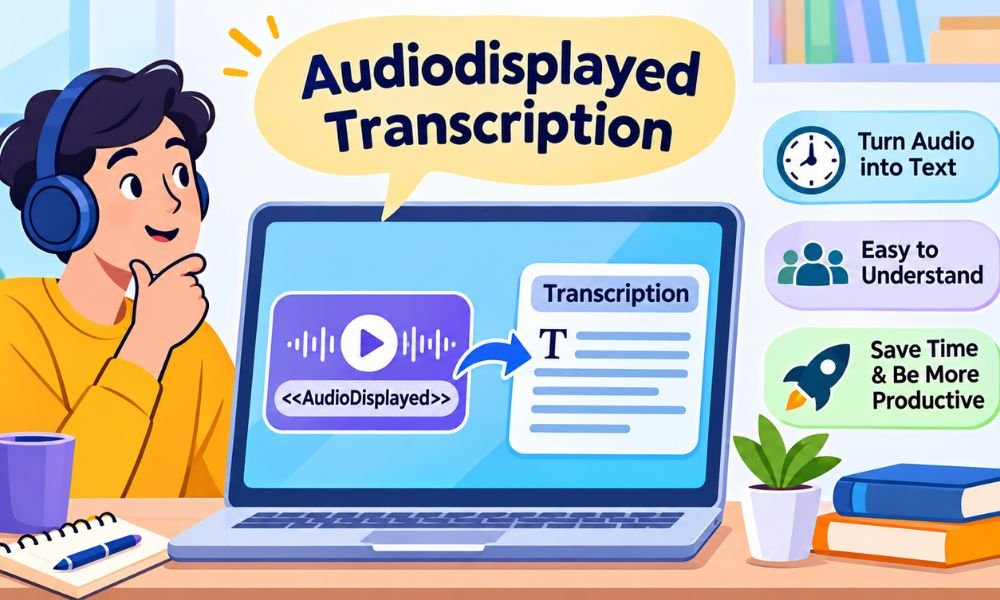
Have you ever opened a saved chat and found the word Audiodisplayed instead of a voice message? It can seem strange at first. You might wonder where the sound went or why you cannot play the message anymore.
Audiodisplayed Transcription helps you understand how audio appears in digital records. Many people use voice messages to share ideas and daily updates. However, saved chats may show a small text label instead of the sound from the original message.
In 2026, many people use AI tools to turn speech into text. Yet audio labels can still cause confusion. In this guide, we will explore their meaning and uses. We will also learn how to find and transcribe recordings.
What Is Audiodisplayed Transcription?
Audiodisplayed Transcription is a term that helps explain audio content in written records. You may find an audio label where a voice message once appeared. This label may show that an audio item was part of the original chat.
The word Audiodisplayed joins two simple words. Audio means sound. Displayed means shown. Some digital tools join words to create short labels. These labels help people understand what kind of content may have appeared in a saved text file.
However, Audiodisplayed is not a common English word. It does not have the same meaning in every app. You need to know where the label came from. The original app may help you understand what the label really means.
How Does Audiodisplayed Transcription Work?
Digital chats often contain voice notes and written messages. When a tool saves these chats as text, it may replace audio with a small label. This helps keep the messages in the same order without showing the actual sound.
Audiodisplayed Transcription also helps us understand how speech becomes text. A speech-to-text tool listens to an audio file. It tries to find the spoken words. It then puts those words into sentences that people can read and save.
Imagine your friend sends a voice note about a birthday party. A text label may mark the voice note in a saved chat. However, a real transcript would show what your friend said. Both serve very different purposes.
Why Does Audiodisplayed Appear in Chats?
Many chat apps allow people to save their conversations. Some saved files only contain written messages. Voice notes and other media may appear as labels. This can help readers see where different types of messages appeared in the chat.
AI tools may also use audio labels in conversation records. These labels can help show the difference between sound and written text. You might see a marker such as <<AudioDisplayed>> when reading a record made by a digital tool.
Sometimes the original audio is saved in another folder. The text file may only show a label for that recording. Seeing Audiodisplayed does not mean the sound is gone forever. You may still find it in the original chat.
You may also read: Who Is Kate Norley? The Full Story of John Oliver’s Wife
Audiodisplayed Transcription vs Audio Placeholders
An audio placeholder is a small piece of text that may mark a recording. It does not tell you what someone said. Think of it as a sign that shows where an audio message belongs in a saved chat.
Audiodisplayed Transcription is different from the actual written words of a recording. For example, a voice note might say that dinner is ready. A real transcript would show those words. An audio marker would only mark the voice note.
There is also a difference between audio displayed and audio played. A voice message can appear on your screen without being played. Seeing an audio label does not prove that someone opened the message or listened to the recording.
Audiodisplayed Transcription in WhatsApp and AI Chats
WhatsApp allows people to save their chat history with or without media. When you save a chat without media, the copy may not contain the original recordings. However, those voice messages may still be available inside the WhatsApp app.
Some people may find Audiodisplayed in records linked to ChatGPT or other AI tools. A tool may use this label to mark audio content. However, there is no confirmed rule that every AI tool uses this exact audio label.
Audiodisplayed Transcription should not be confused with WhatsApp playback signs. WhatsApp has its own signs for voice messages. The Audiodisplayed label is not confirmed as an official WhatsApp status. It cannot prove that someone has listened to your message.
How to Find Missing Audio Recordings
If you find an audio marker without a recording, start with the original chat. Look at the date and time of the message. You may find a voice note that matches the label in your saved conversation.
You can also check your saved media folders. Look for audio files in formats like MP3 and WAV. Other common formats include OGG and M4A. Try playing the files to find the recording that matches your saved chat.
Sometimes the original recording may no longer be available. You can check your backups or ask the sender for another copy. Remember that Audiodisplayed Transcription cannot bring back spoken words from a text label alone. You need a reliable source.
How to Use Audiodisplayed Transcription to Get Written Text
Once you find the original recording you can turn it into written text. Start by choosing a speech-to-text tool. Make sure the tool supports your audio file. Some tools are free while others charge money for extra features.
Upload your recording to the tool and choose the right language. The tool will listen to the sound and create written text. Remember that uploading an audio marker instead of a real recording will not give you spoken words.
After the tool creates the text you should check it for mistakes. Listen to the original recording while reading the words. You can then save the finished text as a PDF or text file for later use.
How to Improve Audiodisplayed Transcription Accuracy
Clear sound helps speech-to-text tools work better. Try to record your voice in a quiet room. Keep your phone close enough to capture your words. Speak slowly and clearly so the tool can understand what you are saying.
Background noise can make it hard for AI tools to understand speech. Loud music and people talking nearby may cause mistakes. When several people speak at once the tool may also find it hard to tell their voices apart.
Always check important details like names and dates. AI tools can sometimes write the wrong words. If you cannot understand a part of the recording then mark it as unclear. Never add words that you did not actually hear.
Common Audiodisplayed Transcription Problems and Solutions
One common problem is finding an audio marker without a recording. This may happen when someone saves a chat without media. Check the original chat and saved files before you decide that the voice message has been lost forever.
Another problem happens when an audio file will not open. The file may be damaged or your player may not support it. Try using another audio player. You can also check whether you have a working copy somewhere else.
Audiodisplayed Transcription may also involve problems with written text. A tool might choose the wrong language or miss some words. Check your settings and try again. However, no tool can recover real speech from an audio marker alone.
Is Audiodisplayed Transcription Safe to Use?
Using speech-to-text tools can be helpful. However, you should be careful when sharing private recordings. Some voice messages may contain personal details. Always think about what the recording contains before you upload it to a website or an app.
Read the privacy rules of your chosen tool. Find out how it stores your audio files. Check whether you can delete them after use. You should also get permission before sharing private recordings that contain the voices of others.
Seeing Audiodisplayed does not mean someone is spying on you. It also does not prove that your phone secretly recorded your voice. If you have concerns about your privacy then check which apps have access to your phone microphone.
You may also read: Meet Richard Taubman: The Man Who Once Won Christie Brinkley’s Heart
Conclusion
Audiodisplayed Transcription helps people understand audio labels in digital records. These labels may show where voice messages appeared in a chat. However, they do not contain the actual spoken words. You need the original sound to create written text.
In 2026, AI tools make it easier to turn voice recordings into readable words. These tools can help students and workers save time. However, checking the finished text is still important because even good tools can make mistakes.
The next time you see Audiodisplayed in a saved chat you will know what to do. Check the original app and look for the recording. Remember that the exact meaning of this label depends on the tool that created it.
(FAQs)
What is Audiodisplayed Transcription?
Audiodisplayed Transcription refers to how audio content is shown in written chats and digital records. It helps people understand audio markers and how voice recordings can be turned into written words.
What does the Audiodisplayed tag mean?
The <<AudioDisplayed>> tag may show where an audio message appeared in a conversation. It does not contain the actual sound. Its exact meaning depends on the tool that created the record.
Does Audiodisplayed mean someone heard my voice message?
No. Audiodisplayed does not prove that someone played or heard your voice message. You need to check the playback signs in the original messaging app to learn more.
Can AI turn Audiodisplayed into written text?
AI can turn an available audio recording into written text. However, it cannot recover spoken words from an audio marker alone. You need the original recording or another copy.
Why does Audiodisplayed appear in ChatGPT?
Audiodisplayed may appear in some records of AI chats to mark audio content. However, its exact meaning depends on how the chat was saved or processed.
Is Audiodisplayed an official WhatsApp feature?
Audiodisplayed is not confirmed as an official WhatsApp label. WhatsApp allows users to save chats with or without media. Other tools may add audio markers when turning chats into text files.
Can I recover missing Audiodisplayed recordings?
You may find missing recordings in your original chats or saved media folders. You can also check available backups. However, a text marker alone cannot bring back a lost recording.
Is Audiodisplayed Transcription free?
Audiodisplayed Transcription is not a specific paid service. Many speech-to-text tools offer free plans. Some charge money for longer recordings or extra features.
Is Audiodisplayed Transcription safe?
Audio transcription can be safe when you use a trusted tool. Always check its privacy rules before uploading recordings. Avoid sharing private voice messages without permission from the people involved.
How can I improve Audiodisplayed Transcription results?
Use clear recordings with little background noise. Choose the correct language before turning audio into text. Always check the final words against the original recording to fix any mistakes.
You may also read: Alanna Marie Orton: Everything You Need to Know About Randy Orton’s Daughter