Introduction
Camping offers a welcome break from busy routines, crowded streets, and constant notifications. Still, there are times when an internet connection is genuinely useful. You may need to check the weather, follow a trail map, contact family, or finish an important work task. Planning for wifi for camping can make these moments easier without allowing screens to take over the trip.
One option worth considering is portable wifi, a compact way to share a mobile internet connection with several devices. The right setup depends on your destination, network coverage, data needs, and the length of your stay. Understanding these details before leaving home can help you avoid expensive surprises and unreliable connections.
Why Internet Access Can Help at a Campsite
A connection can be useful for more than entertainment. Weather services can provide updates when conditions change, while online maps may help you check road closures or nearby services. Campers can also send arrival messages, confirm reservations, and keep in touch with people who are not travelling with them.
Understanding Portable WiFi
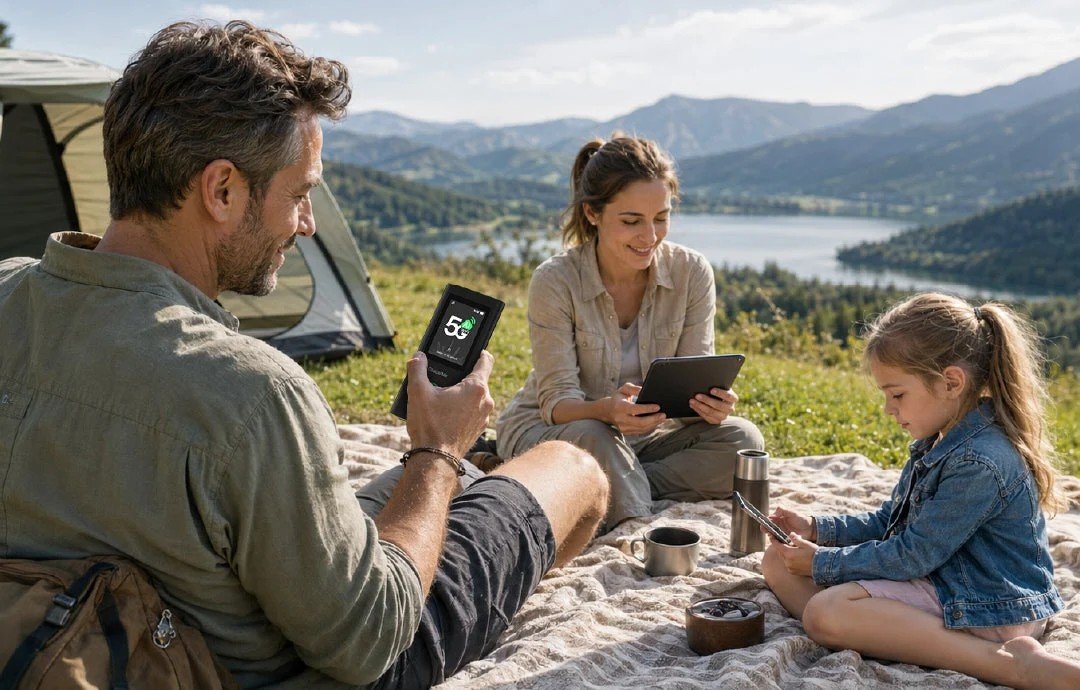
Portable wifi usually means a small hotspot that connects to a cellular network and creates a wireless network for nearby devices. Depending on the model, it may use a physical SIM card, an eSIM, or a built-in data subscription. Phones, tablets, and laptops can then connect using a Wi-Fi password.
Unlike a home router, a hotspot is designed to travel with you. It does not create internet access by itself, though. It needs a compatible mobile network and an active data plan. If the carrier has no signal where you are camping, the hotspot may not be able to connect.
Choosing WiFi for Camping
When comparing wifi for camping options, start with the places you plan to visit. Check the mobile coverage maps of different carriers for the campsite. Local terrain, trees, distance from towers, and network congestion can all affect performance.
If you only need occasional access, your phone’s personal hotspot may be enough. It avoids carrying another device, although it can use your phone’s battery quickly. A dedicated hotspot can be more convenient when several people need to connect or when you want to keep your phone available for other tasks.
Features Worth Comparing
Battery life is important when power outlets are limited. Check the manufacturer’s estimate and remember that actual performance depends on signal strength, connected devices, and usage. A power bank and the correct charging cable can provide extra flexibility on longer trips.
Look at network compatibility before buying. A device should support the frequency bands used by the carrier in your destination. If you travel internationally, check whether it is unlocked and can accept a local SIM or travel eSIM. Also consider how many devices can connect and whether the hotspot has clear controls for monitoring data use.
Finding a Suitable Data Plan
Estimate how much data you are likely to use. Messaging, browsing, and checking maps generally consume less than video streaming, video calls, or uploading large files. If everyone in the group connects to the same hotspot, usage can increase quickly.
Compare prepaid, daily, weekly, and monthly plans. Read the conditions carefully, including speed limits, coverage areas, roaming charges, and fair-use rules. Some plans described as unlimited may reduce high-speed access after a set allowance.
Improving Reception Outdoors
Place the hotspot in an open, slightly elevated location where it can receive a better signal. Keep it protected from rain, dust, and direct sunlight unless the manufacturer specifically states that it is weather-resistant. If reception is poor, try a different safe position or check whether another carrier has better coverage in the area.
Avoid leaving the device inside a closed bag or beneath thick bedding. These can make reception and heat management worse. Follow the manufacturer’s instructions for operating temperature and storage, especially during very hot or cold weather.
Staying Secure and Prepared
Set a strong Wi-Fi password and change default login details when the device allows it. Share access only with people you trust, and install official software updates when available. Turn the hotspot off when it is not needed to conserve battery and reduce unnecessary connections.
Even the best portable wifi setup should have a backup plan. Save maps for offline use, keep important phone numbers available, and tell someone your route if you are heading into an isolated area. A mobile connection should never replace emergency preparation or local safety guidance.
Conclusion
Good wifi for camping starts with realistic expectations and a little research. Check coverage at your destination, choose a suitable device or phone hotspot, and select a data plan that matches your habits. Battery life, network compatibility, and signal conditions are just as important as advertised speed.
With the right preparation, portable wifi can help you navigate, communicate, and manage essential tasks while spending time outdoors. Keep offline resources ready, protect your equipment, and use the connection when it adds value. That way, technology can support your adventure without becoming the main reason for it.