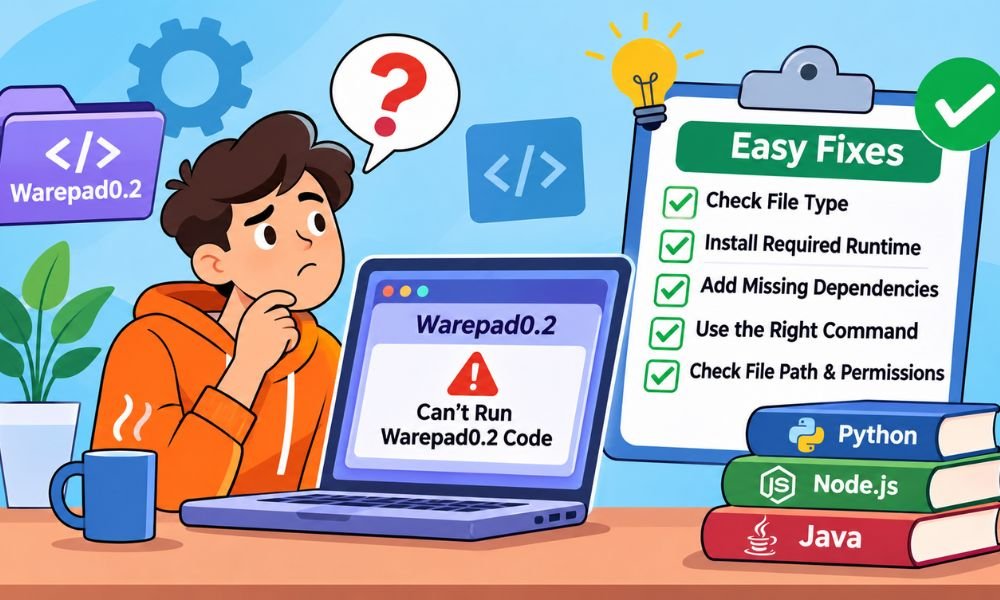
Have you ever tried to run a code file but nothing happened? You click the file and wait. Yet the program does not start. This can be very annoying when you do not know what went wrong.
Many people face this problem when using new code projects. Some files need extra tools to work. Others may have missing parts or wrong settings. Even one small mistake can stop the whole program from running.
If you are asking Why I Can’t Run Warepad0.2 Code then this guide is for you. We will explain the common causes and easy ways to find them. You will also learn how to fix problems without harming your computer.
What Is Warepad0.2 Code?
Warepad0.2 may be the name of a software tool or a code project. It could also be a folder that holds many files. There is not enough clear public information to say exactly what Warepad0.2 is in 2026.
This is why checking the files is so important. A file ending in .py may need Python. A .js file may need Node.js or a web browser. A Windows .exe file may need other tools to work.
You should also look for a file named README. It often tells you how to set up and run a project. Other files like package.json or requirements.txt can show what extra tools the code needs.
Why I Can’t Run Warepad0.2 Code
There are many reasons why Warepad0.2 code may not work. One common reason is missing software. Your computer may not have the right tool to open or run the file. This can stop the code before it even starts.
Another reason is using the wrong command. For example, you may try to open a Python file like a normal Windows app. However, it may need to run through Python. A wrong folder or file name can also cause trouble.
Old software versions can create problems too. Some projects need certain tools or packages to work. If your computer has a different version then the code may fail. The best first step is to read the exact error message.
Common Errors When Running Warepad0.2 Code
One common error is “Command not recognized.” This means your computer cannot find the command you entered. The needed tool may not be installed. You may also have typed the command wrong or used the wrong way to start it.
Another common problem is “Module not found.” This can happen when the code needs a package that is missing. You may also see a missing DLL warning. This often means a needed Windows file or software part cannot be found.
Some users see “File not found” or “Access denied.” The first may mean the program is looking in the wrong folder. The second may mean Windows is blocking access. If the program closes at once then an error may be hidden.
Continue reading: Who Is Zeke Young? The Full Story of Neil Young’s Son
How to Fix Warepad0.2 Code Step by Step
Start by checking the file you want to run. Look at its full name and the letters after the dot. These letters can tell you what kind of file it is. Also check whether the project came with a README.
Next, try to run the code in the right way. If an error appears then read it carefully. Do not close the window too fast. Write down the full message because it may tell you exactly what is missing.
Now check the tools and files the project needs. Make sure they are installed and in the right place. Change only one thing at a time. This makes it easier to see which fix works and which one does not.
Why I Can’t Run Warepad0.2 Code on Windows
Windows can sometimes stop a program from running. This may happen when the code needs software that is not installed. It can also happen when the project was made for another system or a different Windows version.
File access can be another issue. Some folders do not allow normal users to change files. If Warepad0.2 tries to save data in one of these folders then Windows may show an error. Moving a trusted project to a normal work folder may help.
Windows Security may also block files that look unsafe. This does not always mean the file is harmful. Still, you should never turn off your antivirus just to run unknown code. Check the source and scan the file first.
How to Fix Missing Files in Warepad0.2 Code
Missing files can stop a project from working. This often happens when a download does not finish or a ZIP file is not fully opened. A project may also fail if someone copies only one file and leaves the others behind.
For example, the code may need a file called settings.json. If that file is missing then the program may not start. It may also fail when the file is saved in the wrong folder. Check the project files before changing anything.
If you think files are missing then compare your folder with the original project. Look for setup files and other needed parts. If the download is damaged then get a fresh copy from the trusted source. Avoid unknown download websites.
Why I Can’t Run Warepad0.2 Code After Installing It
You may install Warepad0.2 and still find that the code does not run. This can happen because installing a project is not always enough. Some projects need extra packages or tools before they are ready to use.
For example, a Python project may need packages listed in requirements.txt. A JavaScript project may need packages listed in package.json. If these parts are missing then the code may show errors even when the main tool is installed.
Another problem may be the PATH setting. This helps Windows find certain commands. If a tool is installed but Windows cannot find it then the command may fail. Check the setup guide before changing any system settings.
How to Fix Warepad0.2 Runtime and Version Errors
Sometimes your code will not work because your computer has the wrong software version. A project may need a certain version of Python or Node.js. If you use an older version then the code may fail to start.
A runtime is a tool that helps code run. For example, Python code usually needs Python installed on your computer. You can open the terminal and type python --version to check your Python version. For Node.js you can use node --version.
Some projects also need special tools to build the code before it can run. These may include a compiler or other build tools. Always read the project guide first. It can help you find the right version without installing things you do not need.
Why I Can’t Run Warepad0.2 Code Without Errors
Have you ever opened a program and seen nothing happen? This can be confusing because there is no clear error. Sometimes the code is running but does not show anything on the screen. It may be waiting for input.
Another reason may be the wrong start file. Some projects have many files but only one starts the main program. If you open another file then nothing may happen. Check the README to find the right file or command.
You can also try running a trusted project from the terminal. This may show an error that was hidden before. If the program opens and closes quickly then the terminal may help you see why. Check the messages before making changes.
Is Warepad0.2 Code Safe to Run?
Safety is important when running code from the internet. In 2026 there is still not enough clear public information to confirm that every file named Warepad0.2 is safe. The name alone cannot tell you whether a file is good or harmful.
Before running the code you should check where it came from. Look for the original website or project page. Check the publisher if one is listed. If Windows shows a warning then read it carefully instead of clicking past it.
You can also scan the file with Windows Security. Do not download random DLL files or unknown repair tools. Never turn off your antivirus just to make the code work. A safe check is always better than a quick but risky fix.
How to Remove Warepad0.2 From Windows
Sometimes you may want to remove Warepad0.2 from your computer. Maybe it does not work or you no longer need it. If it was installed as a normal Windows app then you can usually remove it through Windows settings.
First close the program and any related windows. Then open Settings > Apps > Installed apps. Look for Warepad0.2 and choose the uninstall option if it appears. If Windows says the program is still running then close it before trying again.
Do not delete the main program folder before trying the normal uninstall steps. Some apps leave settings and other files behind. If Warepad0.2 is only a code folder then it may not have an uninstaller. Check how it was added first.
Final Tips to Fix Warepad0.2 Code Problems
If you are still asking Why I Can’t Run Warepad0.2 Code then start with the simple checks. Look at the file type and read the full error message. Make sure the right software is installed and the needed files are in place.
Try to fix one problem at a time. Check the command and the folder you are using. If the code needs extra packages then follow the project guide. Avoid changing Windows settings unless you know why the change is needed.
Most code problems become easier when you know what caused them. You do not need to try every fix at once. Take your time and follow each step. This can help you find the real issue and avoid new problems.
Continue reading: Samantha Rotunda: What Happened to Bray Wyatt’s Ex-Wife
Conclusion
Running code can feel hard when you are new to it. A missing file or wrong command can stop everything. The good news is that many common code errors have simple causes that you can find with a few careful checks.
If you want to know Why I Can’t Run Warepad0.2 Code then focus on the error message first. Check the runtime and software version. Make sure your files are complete and your computer can find the tools needed to run them.
Since Warepad0.2 does not have clear and widely known public guides, do not trust random fixes online. Use the project instructions when they are available. Check each problem carefully and choose the safest fix for your computer.
(FAQs)
Why I Can’t Run Warepad0.2 Code on My Computer?
Warepad0.2 code may not run because some files or tools are missing. You may also be using the wrong command or software version. Check the file type and read the error message to find the real problem.
What Is Warepad0.2 Code Used For?
Warepad0.2 may be a software project or a group of code files. Its exact purpose is not clearly known. You should check the project files and README to learn what it does and how to run it.
How Can I Fix Warepad0.2 Code That Won’t Run?
First check the file type and the command you used. Make sure the needed software is installed. Then check for missing files or packages. Fix one problem at a time and test the code again after each change.
Why Does Warepad0.2 Code Show a Module Not Found Error?
This error often means the code needs a package that is not installed. It can also happen when you use the wrong Python setup. Check the project guide to find the needed packages and install them from trusted sources.
Can I Run Warepad0.2 Code on Windows 10 or Windows 11?
It may work on Windows 10 or Windows 11 if the project supports them. However, there is no clear proof of its system needs. Check the project instructions and required software before trying to run it on Windows.
Why Does Warepad0.2 Open and Close Right Away?
The program may be closing because of an error during startup. It may also finish its task without showing a window. Try running a trusted copy from the terminal. This can help you see messages that were hidden before.
Is Warepad0.2 Code Safe to Download and Install?
There is not enough clear information to confirm that every Warepad0.2 file is safe. Always check the download source and scan the file with Windows Security. Avoid unknown websites and never turn off your antivirus to run it.
Do I Need Python or Node.js to Run Warepad0.2 Code?
That depends on the type of code you have. Python files usually need Python. Some JavaScript files need Node.js. Check the file extension and project instructions first. Do not install extra software unless the project needs it.
Why Can’t I Uninstall Warepad0.2 From My PC?
Warepad0.2 may still be running in the background. Its uninstaller may also be missing or damaged. Close the program and check Windows Installed Apps. If it is only a code folder then it may not have an uninstall option.
What Should I Do If Warepad0.2 Still Does Not Work After Trying Every Fix?
Do not keep changing random settings. Save the full error message and check the project files again. Look at the software versions and launch command. If possible, ask the project developer for help with the exact error.
Continue reading: Carrie Schenken: Everything About Amanda Bearse’s Wife