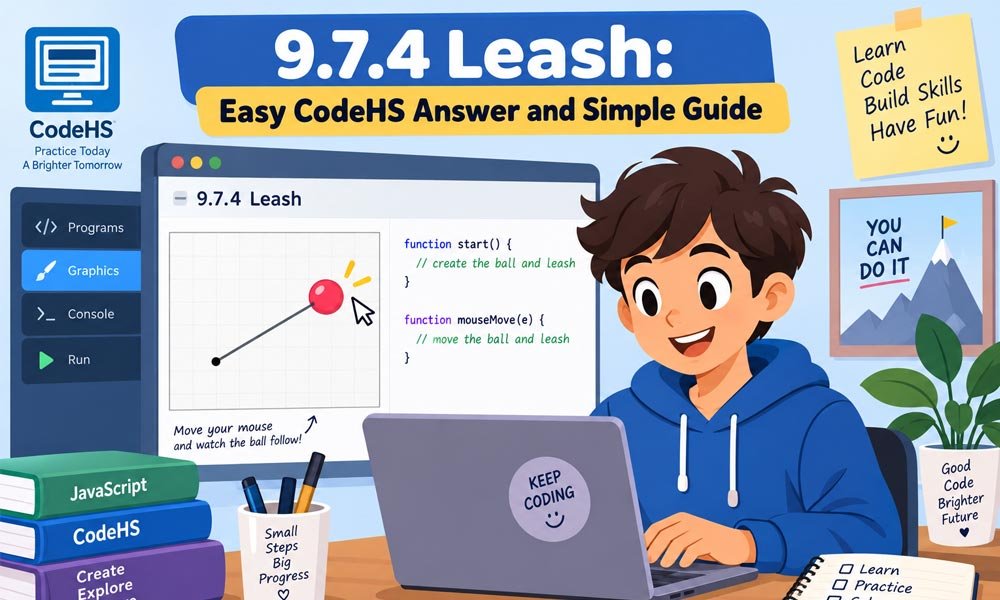
The 9.7.4 Leash task is a fun CodeHS graphics exercise. You make a ball move with your mouse. A line stays linked to the ball. It looks like the ball has a leash attached to it.
The task may look hard when you first see it. Yet the main idea is very simple. You create a Circle and a Line. Then you use the mouse position to move them across the canvas.
In this 2026 guide we will explain the 9.7.4 Leash CodeHS answer in easy words. You will learn what the task wants. You will also see how the ball and line work and why mouse movement matters.
What Is the 9.7.4 Leash CodeHS Exercise?
The 9.7.4 Leash exercise is about JavaScript graphics. It does not simply print words or numbers. Instead you make objects appear on a canvas and then make them react when the mouse moves.
The main objects are a Circle and a Line. The Circle acts like a ball. The Line acts like a leash. At the start both objects meet in the middle of the graphics canvas.
When you move your mouse the ball follows it. One end of the line follows the ball too. The other end stays in the center. This simple action creates the leash effect that the exercise asks you to make.
What Does 9.7.4 Leash Ask You to Do?
The goal of 9.7.4 Leash is easy to understand when we split it into small steps. First the ball needs to appear in the center. The leash also starts from this same center area.
Next you need to watch for mouse movement. When the mouse moves the ball should move to the new mouse position. The moving end of the leash must go to that exact position too.
Think about walking a toy ball on a string. Your hand can move around while the string follows it. This CodeHS task creates a similar effect on the screen by using X and Y positions.
9.7.4 Leash CodeHS Answer Explained
A clean 9.7.4 Leash CodeHS answer starts by creating the objects. You need one Circle for the ball. You also need one Line for the leash. Both objects should be added to the graphics canvas.
The program should create these objects only once. You do not need a new Circle each time the mouse moves. Instead you keep the same Circle and simply change where it appears on the screen.
The same rule works for the Line. Keep the first point fixed. Change only its other point when the mouse moves. This makes the code cleaner and stops many extra objects from filling the screen.
A basic form of the main movement logic looks like this:
function moveLeash(e) {
    ball.setPosition(e.getX(), e.getY());
    leash.setEndpoint(e.getX(), e.getY());
}
Both lines use the same mouse position. That is why the ball and leash stay together. The code is short but it teaches an important idea that is used in many other graphics tasks.
How to Start 9.7.4 Leash in the Center
The 9.7.4 Leash objects should begin in the middle of the canvas. CodeHS gives us simple tools for finding that point. We can use getWidth() to learn the canvas width.
We can also use getHeight() to learn its height. Divide each value by two. This gives you the center X and Y positions. It works even when the size of the canvas changes.
For example you can write:
var centerX = getWidth() / 2;
var centerY = getHeight() / 2;
This is better than guessing a position such as 200 or 250. A guessed number may work on one canvas but fail on another. Finding the real center makes the 9.7.4 Leash CodeHS answer more reliable.
You may also read: Brasssmile: Everything You Should Know Before You Visit
How the Ball Works in 9.7.4 Leash
The ball is made with a CodeHS Circle. A simple example can use a radius of 30. The radius tells the program how large the Circle should appear on the graphics canvas.
After making the ball you place it at the center. The Circle uses its center as its position. This is helpful because the ball can later use the exact same X and Y values as the mouse.
When the mouse moves you do not make another ball. You move the Circle that already exists. The command setPosition(x, y) changes where that Circle appears.
For example:
ball.setPosition(e.getX(), e.getY());
Now the ball can follow the mouse. Move left and the ball moves left. Move down and it moves down. This direct link between the mouse and Circle is one of the main ideas behind the exercise.
How the Line Works in 9.7.4 Leash
The Line is the second important object in 9.7.4 Leash. It has two points. One point acts as the fixed part of the leash. The other point moves with the ball.
At the beginning both points can be placed in the center. This means the Line may look very small or may not be easy to see at first. That is normal. It becomes clear once the mouse moves.
The key command is setEndpoint(x, y). It changes the moving end of the Line while leaving its starting point where it is. We can give this endpoint the current mouse position.
leash.setEndpoint(e.getX(), e.getY());
Now the Line stretches from the fixed center to the mouse. The ball uses the same mouse position. As a result the end of the leash stays attached to the middle of the moving ball.
How Mouse Movement Works in CodeHS
Mouse movement brings the whole 9.7.4 Leash program to life. CodeHS uses mouseMoveMethod() to connect mouse movement with a function. That function runs when the pointer moves across the graphics area.
A simple setup looks like this:
mouseMoveMethod(moveLeash);
Notice that there are no parentheses after moveLeash. We are giving CodeHS the function to use later. We are not asking JavaScript to run that function at that exact moment.
When the mouse moves CodeHS sends event information to the function. e.getX() gives the horizontal position. e.getY() gives the vertical position. These two values tell us exactly where the mouse is.
This is the key point to remember. The ball gets those X and Y values. The moving end of the Line gets the same values. That is how 9.7.4 Leash keeps both graphics connected while you move the mouse.
Why 9.7.4 Leash Uses Global Variables
Global variables are useful in the 9.7.4 Leash exercise. The ball and leash are first made when the program starts. Later the mouse function needs to find and move those same objects.
A global variable is made outside the functions. This lets more than one function use it. For example you can make ball and leash global. The start function can create them. The mouse function can move them.
This also helps you avoid a common mistake. If you make a new local ball inside one function another function may not have access to it. Keeping shared objects global makes this small CodeHS program easier to manage.
You may also read: Ciulioneros: The Complete Guide to Its Meaning, History, and Online Buzz
Why the Ball and Leash Must Move Together
The most important idea in 9.7.4 Leash is that the ball and moving line point share the same position. Both need the X and Y values from the mouse event.
Imagine the mouse is at X 150 and Y 100. The ball should move to that point. The endpoint of the leash should also move to that point. This keeps both objects joined on the screen.
Problems appear when the positions do not match. The ball may move one way while the line ends somewhere else. Using the same e.getX() and e.getY() values for both objects keeps the movement simple and smooth.
Common 9.7.4 Leash Problems and Easy Fixes
Your 9.7.4 Leash CodeHS answer may look correct but still have a small problem. If nothing moves then check mouseMoveMethod(). Make sure you gave it the correct function name without calling the function yourself.
What if the ball moves but the line stays still? Check setEndpoint(). The moving end of the Line needs the mouse X and Y values. Changing the wrong part of the Line can give you a very different result.
Another problem is seeing many balls on the screen. This can happen if you create a new Circle every time the mouse moves. Make one Circle at the start. After that use setPosition() to move the same Circle.
Why the Leash Line May Cover the Ball
Sometimes the 9.7.4 Leash movement works but the result still looks a little wrong. You may see the Line drawn over the ball. This can happen because of the order in which the graphics were added.
A simple way to avoid this is to add the Line first. Add the Circle after it. The Circle can then appear above the Line. This makes the ball easier to see while it moves around.
Graphics can also use layers in projects where you need more control. For this simple exercise the drawing order is often enough. The important point is that a display problem does not always mean your movement code is wrong.
How to Test Your 9.7.4 Leash Code
Testing is an important part of the 9.7.4 Leash CodeHS answer. Start the program and look at the center. The ball should begin there. The Line may be hard to see because both of its points start together.
Now move your mouse slowly. The ball should follow the pointer. One end of the leash should move with the ball. The other end should stay fixed at the center of the canvas.
Try moving the mouse toward every corner. Move up and down too. This can show whether both X and Y are changing. If the ball and endpoint stay together everywhere then your main movement logic is working.
What 9.7.4 Leash Teaches You
The 9.7.4 Leash exercise may be small but it teaches several useful coding ideas. One is mouse events. Your program waits for the user to move the mouse and then reacts to that action.
It also teaches X and Y positions. These numbers tell the program where an object should appear. Once you understand them it becomes easier to make simple games and other interactive graphics.
You also learn about object state. The same Circle and Line stay in the program while their positions change. This idea is useful in many coding projects where objects move or react without being created again.
Conclusion
Students sometimes ask what language 9.7.4 Leash uses. This version of the graphics task uses JavaScript with CodeHS graphics tools. The main parts include Circle and Line objects plus mouse events and position methods.
You may also see a similar Leash exercise under another lesson number. CodeHS course layouts can differ. Look at the task itself. If it asks for a ball connected to a Line that follows the mouse then the same main idea may apply.
Remember the key difference between two useful methods. setPosition() moves the Circle. setEndpoint() changes the moving end of the Line. Using each method for the correct object makes the code much easier to understand.
Finally do not worry if your first try does not work. Check one thing at a time. Look at the starting point then the mouse function then the ball position and finally the Line endpoint. Small checks can quickly find small mistakes.
The 9.7.4 Leash CodeHS answer becomes simple once you understand the main idea. Keep one end of the leash fixed. Let the ball follow the mouse. Give the moving Line endpoint the same X and Y values.
That is the heart of the whole exercise. More than just finishing one CodeHS task you are learning how mouse events and graphics work together. Those skills can help with later drawing tools simple games and other interactive JavaScript projects.
You may also read: Inbredward: Why This Strange Squidward Meme Gets Attention Online