Take a ruler to the toy shelf before you open either shop. A game piece that stands four centimeters tall will fit on both printers in this comparison. A nameplate that needs to be ten centimeters wide is another story. The prices below belong to particular U.S. bundles as checked in November 2026. The ruler will still be useful when those offers change.
A useful Toybox vs AOSEED comparison starts with two machines and one project. Here, the machines are the Toybox Alpha Four and the AOSEED X-MAKER JOY. Both can make a small game token. As the project gets bigger or the family wants to make its own designs, the differences in size, software and recurring costs become easier to see.
Hardware Price and What Comes in the Box
Compare the same things at checkout
Toybox’s U.S. shop shows several Alpha Four bundles. Its Pro Saver offer listed the printer, one 250-gram roll of Printer Food, 5,000 in-app Bolts and a month of Pro for $199 when checked on November 21, 2026. The starter bundle includes a roll of filament and access to the free catalogue and Creator Space. Check the current bundle before ordering. The two offers can move independently, and a kit with a trial sometimes costs less than a bundle without one.
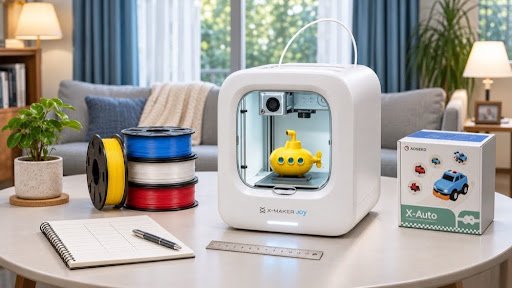
AOSEED’s U.S. holiday page showed the X-MAKER JOY at $230 on the same date. Its starter pack includes a magnetic build plate, starter PLA and a toolkit. The brand also sells packs with extra colors and activity parts. Compare the amount of material included and check the shipping total before putting two offers side by side. A box with eight little rolls gives a child more colors, but it pays to compare their combined weight with the weight of a single larger refill.
Measure something your child wants to make
When you shop for a kids 3D printer, the build area is the room inside the machine where the part takes shape. The Alpha Four has a nominal build area of 75 by 80 by 90 millimeters. The JOY measures 120 millimeters in each direction. A game marker fits either one. A flat, 100-millimeter tray needs more room on the build plate than the Alpha Four offers in one piece.
Outline both build plates on paper
Draw both footprints, then set a familiar toy or the child’s sketch over each one. A figure may fit in either machine if its base is narrow. A wide building front might have to come off the smaller printer in sections. Some children will enjoy joining the walls afterward. Others want to lift a single piece off the plate, and they’ll benefit more from the roomier machine.
Compare Free Features Before Paying for Extras
Start with a Saturday test
Let the child pick two things: one model that is already in a catalogue and one idea they would want to draw themselves. Say they choose a dinosaur and a little stand for its name. In Toybox, check whether the dinosaur is in the free toy catalogue. Then open Creator Space to see how they would draw the stand. The Alpha Four can use both without paying for Pro. Some models, credits and design features come with a paid plan. The dinosaur is a better measure of whether you need those extras than the sheer number of designs in the app.
Toybox’s Pro page lists $20 billed monthly or $216 billed annually. A full year at the monthly rate comes to $240, so the yearly plan saves $24 if you keep it for all twelve months. The annual charge still comes out of your pocket up front. If your bundle includes a month, check how it begins and when it ends before you decide whether to budget for another one.
Check which files you want to bring in
The JOY’s app is free to use and comes with a library and guided design tools. Look at how the child would make that same name stand. Can you change the letters in an existing model? If the child makes the stand in a separate design program, does it save in a file type the printer can use? Find that out before they spend an afternoon making the first version.
Filament Costs for a Month of Printing
Both machines use PLA. Toybox calls its own rolls Printer Food and says compatible third-party 1.75-millimeter PLA can also be used. Look up the material and spool sizes your own machine supports. The number on the price tag won’t tell you as much as comparing two rolls by weight. A one-kilogram roll contains four times the filament on a 250-gram roll.
Use some simple numbers to see what that means. A $20 kilogram of PLA works out to two cents a gram. The same plastic bought on a 250-gram spool for $10 works out to four cents a gram. Suppose the name stand and dinosaur together need 50 grams, including the temporary pieces you’ll pull off afterward. That print uses $1 from the larger roll or $2 from the smaller one. Those are illustrative prices. Use the weight from the printer’s preview and the cost of a refill that actually fits.
A child may want to print the stand more than once. If the lettering is hard to read or the base rocks, set both versions down and check what changed. The waste is part of what you’re paying for. Buying a single refill first makes it easier to tell how fast you use the colors you already have. Put that figure beside any membership you plan to keep and you’ll have a more useful running estimate than a price-per-toy claim.
Which Printer Fits Your Family?
Think about what you’d put on the plate first. If a small catalogue figure is the obvious answer, the Alpha Four’s free selection may be plenty. If the child wants to print a wider sign or make more of the object in one piece, the JOY’s wider plate is a good reason to look closer. Before deciding, check where the printer will stand and who will follow the maker’s guidance for setup, ventilation and handling cooled prints. A machine that fits the sketch and the workspace is easier to keep using after the first roll runs out.