Have you ever seen a photo online and wanted to know where it came from? Maybe you saw shoes you liked. You may want the product name. Image search techniques can help you find this information quickly and easily.
Image search has become much smarter in 2026. You can search with words or use a photo itself. Modern tools can study objects. Colors. Shapes. Patterns. And the general look of an image to find useful matches.
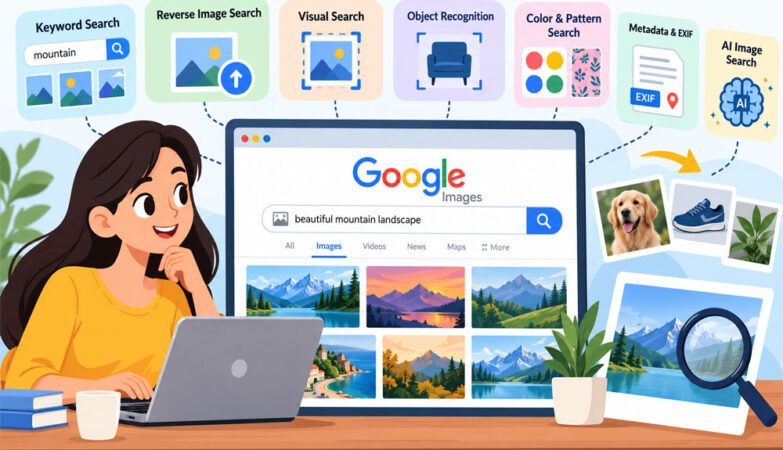
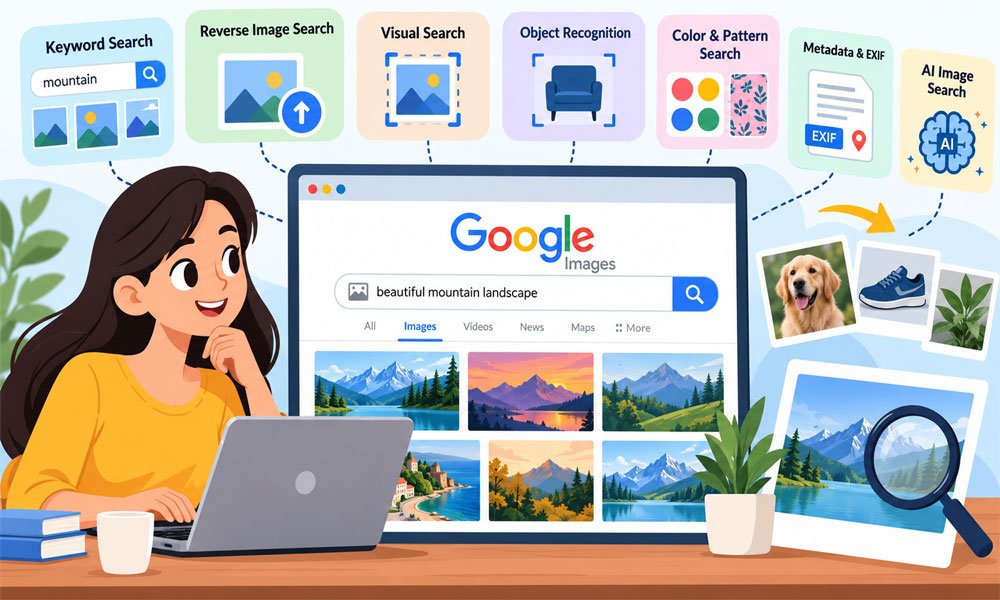
In this guide we will explain image search techniques in very easy words. We will cover Google Images. Reverse image search. Visual search. Object search. EXIF data. AI search. And useful ways to get better search results.
What Are Image Search Techniques?
Image search techniques are different ways to find pictures or information about pictures online. The simplest way is typing words into an image search engine. You may search for “blue sports shoes” and get many pictures that match those words.
But words are not the only way to search. You can upload a picture and ask a search tool to find the same image. You can also look for similar pictures. This method is useful when you cannot describe something clearly.
Different image search techniques have different jobs. Keyword search helps find general pictures. Reverse search can find copies of an image. Visual search finds similar styles. Object search can help identify products and other items shown inside a picture.
How Do Image Search Techniques Work?
Older image search systems depended heavily on words linked with a picture. These words could come from a file name. Caption. Tag. Or other page information. Modern systems can also study what is actually shown inside the picture.
Modern tools use AI and computer vision. They can study shapes. Objects. Edges. Patterns. And scenes. For example an image tool may understand that a picture shows wireless earbuds inside a white charging case instead of seeing only white shapes.
Search systems can also turn pictures into sets of numbers that describe their visual features. They compare this information with stored images. Pictures with close features may then appear as similar results. This makes modern visual searches much more useful.
Keyword-Based Image Search Techniques
Keyword search is probably the image search method you already know. You type words into a search engine and it returns related pictures. Search systems can use captions. Tags. Alt text. Metadata. And page information to understand those pictures.
The secret is to be clear. Imagine you need a picture of an office. Searching only for “office” can bring many different results. Try “small modern office with laptop” instead. The extra words tell the search engine what you really need.
You can make searches even clearer by adding color. Style. Place. Object. Or image type. For example “blue mountain illustration at sunset” is much clearer than “mountain.” Detailed words can save time and remove many unwanted results.
Reverse Image Search Techniques
Reverse image search turns normal searching around. You do not have to explain the picture with words. Instead you give the search tool the picture. You can usually upload an image or provide its image link for the search.
The tool then looks for matching pictures. It may find exact copies. Resized images. Changed versions. Or websites where the picture appears. This makes reverse image search techniques useful when you already have a picture but need more information about it.
Think about a photo shared with a wrong story. A reverse search may show that the same photo appeared online years earlier with another story. This can help researchers and readers check image claims before believing or sharing them.
Reverse search does have limits. Finding an older copy does not always tell you who owns the image. It also does not automatically give you permission to use it. Copyright and image searching are two different things.
Visual Image Search Techniques
Visual similarity search has a different goal. It does not always try to find the exact same file. Instead it looks for pictures that have a similar appearance. It can study layout. Texture. Patterns. Style. And composition.
Imagine you see a beautiful living room online. You do not need the exact room. You want more rooms with the same style. Visual search can help you discover similar furniture. Colors. Layouts. And design ideas.
This method is very useful for fashion. Home design. Online shopping. And creative work. However it may not be the best choice when you need the exact original picture. Reverse search is usually more useful for that job.
Object Color and Pattern Image Search Techniques
Object recognition looks at the items shown inside a picture. It may identify a chair. Car. Animal. Lamp. Bag. Or another product. Some visual search tools can then show similar items and related shopping results.
Color search works differently. It focuses more on colors. Tones. And gradients. A designer may need blue pictures for a brand project. Color-based searching can make it easier to find images that fit the planned look.
Pattern search looks for repeating designs and textures. It can be helpful for clothing. Wallpaper. Fabric. And graphic design. These methods work best when you know what part of the picture matters most to your search.
Metadata and EXIF Image Search Techniques
A picture can contain information that you cannot see just by looking at it. This hidden information is often called metadata. Photos from cameras and phones may contain EXIF data. However not every picture keeps this information.
EXIF data may include the camera or phone model. It can contain the date and time a picture was taken. Some files may also contain camera settings. Editing information. Or GPS location when location recording was turned on.
This information can help with research and image checks. But there is an important limit. EXIF data can be changed or removed. Many online services also remove metadata from uploaded pictures. So EXIF should support other checks rather than act as proof by itself.
AI and Multimodal Image Search Techniques
AI has made image searching much more flexible. Modern tools can understand more than simple keywords. They may recognize an object. Study the scene around it. And connect visual information with the words a person uses in the search.
Multimodal search goes one step further. It can combine an image with text. For example you could upload a picture of shoes and add “black version under $100.” The picture explains the product while the words explain what you want changed.
This makes modern image search techniques useful for very specific searches. Still different platforms have different abilities. A method that works well on one service may give weaker results elsewhere. Trying another search tool can often produce different and useful matches.
Best Tools for Image Search Techniques
Choosing the right tool can make image searching much easier. Google Images is useful for normal searches. Google Lens can search with a photo. It can also help identify objects and find similar products from pictures.
TinEye is mainly made for reverse image search. It can help find matching copies and changed versions of pictures. Bing Visual Search is another useful choice. It can identify objects and help users find related images and products online.
Pinterest works well when you want ideas for fashion, rooms, food, or design. Different tools can show different results. So do not depend on one tool every time. Trying two or three tools may help you find more useful results.
How to Get Better Image Search Results
A clear image can make a big difference. Try to use a good quality photo when searching with an image. A dark or blurry picture may hide important details. This can make it harder for the search tool to find close matches.
Cropping can also help. Imagine a photo showing a person, table, lamp, and chair. If you only want the lamp, crop the other objects out. This helps the search tool focus on the item that actually matters.
When searching with words, add useful details. Include the color, object, style, place, or type of picture you need. You can also use filters for size, date, or color. Combining these image search techniques can make results much better.
Common Image Search Techniques Mistakes
One common mistake is using words that are too broad. A search for “bag” can show thousands of different pictures. A search for “red leather handbag with gold chain” gives the search engine a much clearer idea of what you want.
Another mistake is depending on only one search tool. Search services do not all have the same image collection or search system. One tool may miss a picture that another tool finds. Comparing results can save you from giving up too early.
People also make mistakes when they trust the first result. A similar-looking photo may not be the original photo. A website showing an image may not own it either. Always check the source when the image is important to your work.
Image Search Copyright and Usage Rights
Finding a picture online does not mean you are free to use it. This is very important for bloggers, businesses, students, and website owners. An image can appear in search results while still being protected by copyright.
Some pictures use Creative Commons licences. But these licences are not all the same. Some may allow business use. Others may not. Some require you to give credit to the creator. Always check the exact licence before using an image.
Search filters can help you find possible reusable pictures. Still, a filter should not be your final check. Open the original source page and read its image rules. This small step can help you avoid problems later.
Where Image Search Techniques Are Used
Online shopping is one of the easiest examples. Imagine seeing a chair in a photo but not knowing its name. A visual search tool may identify the chair or show similar products. This makes product discovery much easier.
Image searching is also useful in journalism and research. Reverse search can help show where a picture appeared before. Metadata may provide extra clues about a file. Using several checks together can help people understand an image more clearly.
Designers can use visual search to find ideas. Businesses can look for uses of their brand images. Students can find useful learning pictures. Image search techniques are also helpful for organizing large groups of images and finding related visual content.
Future of Image Search Techniques
Image search is becoming smarter as AI improves. Search tools are getting better at understanding objects, scenes, and the meaning behind a picture. This can make searches feel more natural and reduce the need to know the perfect keyword.
Text and pictures are also becoming more connected. A person can show a search tool an item and then explain what they want. For example, they may upload a backpack and ask for similar bags in blue.
Phone cameras may make this even easier. A person can point a camera at an object and search for information about it. This can be useful for shopping, travel, learning, and many small questions that appear during daily life.
Conclusion
Image search techniques have changed the way we find and understand pictures online. We can search with keywords, upload photos, find similar images, identify objects, study image data, and use AI to make searches more specific.
The best method depends on your goal. Keyword search is useful when you know what to type. Reverse search is helpful when you already have a picture. Visual search works well when you want similar products, styles, or ideas.
The smartest choice is often to combine different methods. Use clear words. Try a good quality image. Crop the important object. Compare more than one tool. Most importantly, check the original source and usage rights before using a picture.
You may also read: Latest Breakthroughs in Quantum Computing 2024: A Simple Guide