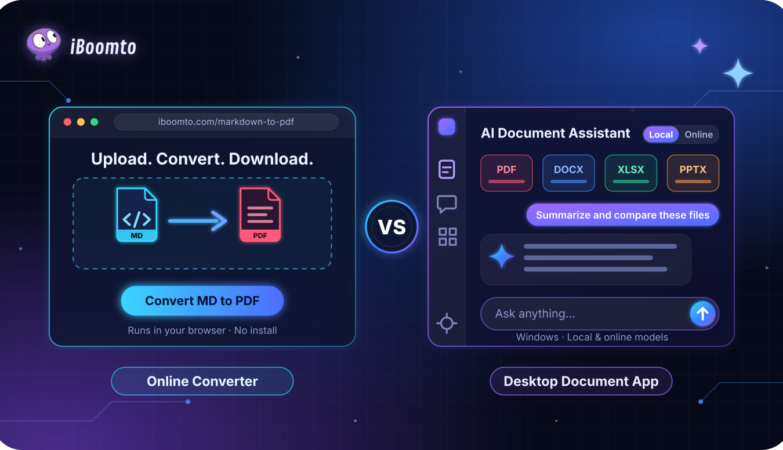
Working with digital documents is part of many professional and academic activities. A developer might need to convert a Markdown file into a PDF, while a business professional may regularly review reports, organize reference materials, and prepare documents for colleagues. Although these tasks involve similar file formats, they do not always require the same tools.
An online converter can be convenient when someone needs to complete a single conversion. However, people who handle documents regularly may benefit from a more complete application that supports their ongoing workflow.
Understanding the difference between these options helps users choose a practical solution instead of relying on a tool that does not match their actual requirements.
When an Online Converter Makes More Sense
Online converters are designed for specific tasks: you provide a file, choose the output format, and download the result.
Consider a developer who has written a project guide in Markdown. The content includes installation instructions, configuration details, headings, and code examples. The developer now needs a PDF version to share with a client.
For this situation, an online converter is often sufficient. There is no need to install a separate application or learn a complicated document workflow just to complete one export.
An online Markdown to PDF free tool can be useful for this type of occasional task. It provides a focused option for converting Markdown content into a PDF that can be shared through email, project platforms, or other communication channels.
iBoomto’s online Markdown to PDF converter runs in the browser, so there is nothing to install and no account to create. You upload a .md file or drag it onto the page, click Convert MD to PDF, and download the result. It handles the elements technical guides rely on, including headings, tables, code blocks with syntax highlighting, lists, links, images, and LaTeX math, and it can convert up to 5 files in one batch, up to 50 MB each.
Privacy is part of the picture too. iBoomto states that files are processed temporarily, are not shared with others, and are deleted automatically once you close the page. The tool works on any device with internet access, including Windows, macOS, Linux, iPhone, and Android.
However, an online converter is not necessarily the best choice for every document-related activity. If someone regularly needs to summarize files, review lengthy documents, or perform several different operations, using a separate tool for every task may become inconvenient.
Understanding the Limitations of One-Time Conversion
A converter solves a particular problem, but it does not automatically manage the entire document workflow.
For example, converting a Markdown file does not guarantee that its content is accurate, that every hyperlink works, or that the final PDF is ready for distribution.
Users still need to review the exported document. They should check headings, code blocks, tables, hyperlinks, and page breaks before sharing it.
The converter’s own page notes that complex or nested formatting can occasionally render differently, which is another reason to open the PDF before you send it.
Another consideration is volume. A batch covers up to 5 files, which is plenty for an occasional export. A person handling dozens of documents every week, or who also needs to summarize, compare, or edit them, ends up repeating the same steps in separate tools.
The important question is not simply which tool has more features. It is whether those features are relevant to the work being performed.
When a Desktop Document Application Is More Useful
A desktop document application becomes worth considering when document work is a regular part of someone’s responsibilities.
For example, a technical writer may work with product manuals, research documents, Markdown files, and internal reports throughout the week. A business team might also need to review multiple documents before preparing presentations or sharing information.
A desktop application is useful when you want reviewing, extracting, summarizing, and editing in one place instead of using a different website for each task.
Desktop software is not always necessary, though. Check which operating system it supports, how much storage it needs, and how often you would actually use it.
Exploring iBoomto AI for More Advanced Document Workflows
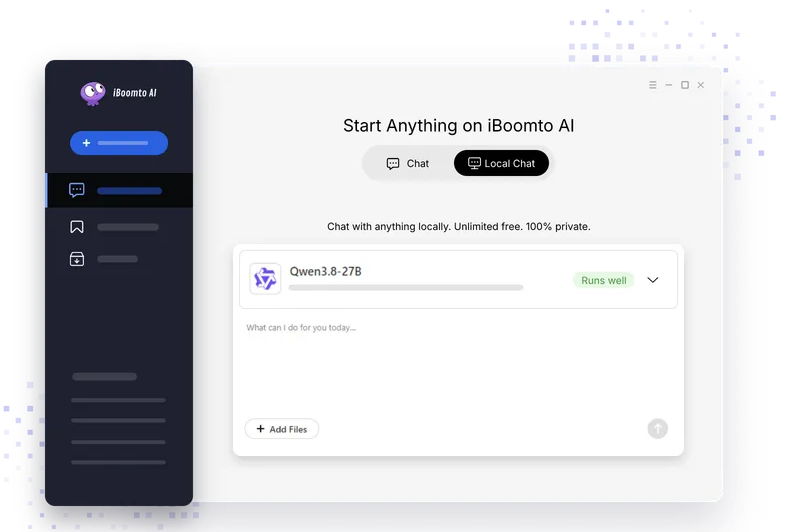
For users who regularly work with digital documents, iBoomto AI offers a Windows desktop application designed to simplify document-related tasks. Its AI Document Assistant helps users extract information, analyze content, summarize reports, and compare multiple files, bringing essential document workflows together in one place.
Work with Multiple Files at Once
iBoomto AI supports various formats, including PDF, Word, Excel, PowerPoint, CSV, Markdown, TXT, images, and web URLs. Users can also import entire folders or process up to 10 files in a single batch.
For example, you can upload several reports and ask the AI assistant to summarize their contents, extract key findings, or organize information across different sources. This is especially useful for research, business reports, and technical documentation.
Extract, Analyze, and Compare Information
Beyond basic summarization, iBoomto AI offers several document analysis capabilities:
Information Extraction: Retrieve relevant text, tables, charts, and images from source files.
Document Summarization: Turn lengthy reports into concise overviews or detailed summaries.
Document Review: Identify potential inconsistencies, missing information, and areas that need attention.
File Comparison: Compare different versions or sources to spot changes and conflicting information.
These tools help users understand large volumes of information without manually reviewing every page.
Turn Your Findings into Usable Documents
After analyzing your files, you can turn the results into new documents without switching applications. The built-in AI document generator supports PDF, Word, Excel, PowerPoint, and MindMap formats, with options to adjust writing styles and target audiences.
For PDF workflows, the integrated editor also supports text editing, page management, annotations, compression, redaction, and conversion to other common formats.
Choose Between Online and Local AI Models
iBoomto AI supports both online and local AI models for different working needs.
Local models process documents directly on your Windows device, giving you more control over sensitive files and letting you work offline after installation. iBoomto AI offers local models from providers such as Gemma, DeepSeek, IBM Research, and Llama. Each model is a separate download that needs roughly 1 to 26 GB of storage, and local models do not consume cloud credits or tokens. Performance depends on your hardware; for local models, the product page recommends an NVIDIA RTX 20 series GPU or newer, at least 8 GB of RAM, and 6 GB of VRAM.
Online models are better suited to more complex tasks that require greater computing resources. When using them, users should consider data privacy, especially when handling sensitive documents.
iBoomto AI runs on Windows 10 and 11 (64-bit) and needs at least 4 GB of RAM and 4 GB of free storage. Local models and most core features have no usage limits. Pro plans add advanced file-processing access and more powerful AI models, and free cloud usage may be limited.
Overall, iBoomto AI combines document reading, analysis, editing, and generation in one workflow, making it a useful option for users who regularly handle multiple documents.
Compare the Two Options Before Choosing
The choice between an online converter and a desktop application becomes easier when users evaluate their actual needs.
- Frequency of Use
If you convert a Markdown file now and then, an online tool is enough: upload, convert, download. If you review, summarize, or edit documents every day, a broader application saves repeated steps.
- Type of Work
A single Markdown-to-PDF conversion is different from reviewing multiple reports, extracting information, and organizing reference materials. Choose a tool that supports the tasks you actually perform.
- Installation Requirements
The online converter needs only a browser and works on Windows, macOS, Linux, iPhone, and Android. iBoomto AI is a Windows 10/11 (64-bit) desktop application that has to be installed, and local models need extra storage and reasonably capable hardware.
- Privacy and File Handling
Online converter: iBoomto states that files are processed temporarily, not shared with others, and deleted automatically when you close the page. Desktop application: with local models, processing stays on your device, while online models send data to a server, so check the privacy policy before using them on sensitive documents. Do not assume either option is automatically more secure.
- Ease of Use
A simple tool can be more effective than a complicated application when the task is straightforward. On the other hand, switching between several services for every small task makes ongoing work less convenient.
A Practical Example: Preparing a Technical Guide
Imagine a software developer preparing documentation for a new application.
The developer writes the installation instructions in Markdown, with code examples and links to relevant resources, and needs a PDF copy for a client.
For this requirement, the online converter is a direct solution: upload the .md file, convert it, open the PDF to check the headings, code blocks, and tables, and send it.
Later, the same developer has to read through several product manuals, compare two versions of a specification, and update the guide. At this stage, loading the files into iBoomto AI to summarize them, extract the key points, and compare versions saves page-by-page reading. The updated guide can then be exported again from Markdown.
This example shows why the two options should not always be treated as competitors. They can serve different purposes within the same working environment.
Conclusion
Choosing between an online converter and a desktop document application depends on the nature of the work. An online converter is practical for occasional tasks such as turning Markdown files into PDFs, while a desktop application may offer additional value for people who regularly manage and review documents.
The best approach is to consider usage frequency, required features, installation preferences, and document-handling requirements before making a decision.
With the right tool for each task, users can simplify document preparation without adding unnecessary complexity to their workflow.