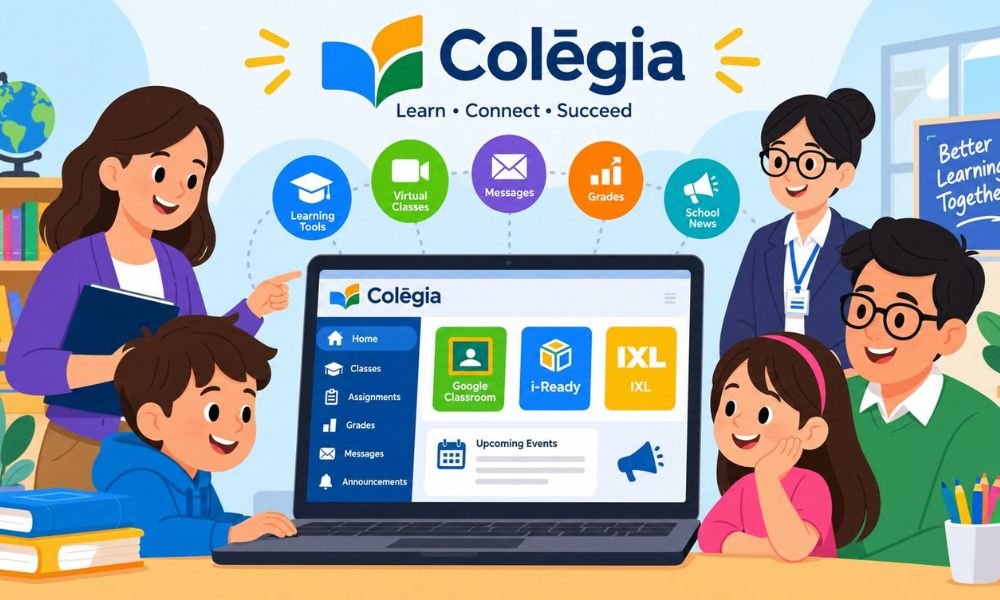
School life has changed a lot in 2026. Students now use many online tools for lessons and homework. But opening different websites every day can be hard. This is where Colegia helps make school life easier.
Colegia brings school apps and learning tools into one place. Students can find their lessons and teachers can share updates. Parents can also stay informed about their child’s school progress. It helps everyone stay connected.
But how does Colegia work? Is it easy to use? In this article we will explain its main features and login steps. We will also look at how students and parents can use this learning platform.
What Is Colegia?
Colegia is an online learning platform made for schools. Its official name is Colēgia. It helps students and teachers find school tools in one place. Parents can also use it to stay updated about school activities.
The platform is known as a Digital Education Operating System or dēOS. This means it brings many school services together. Students can open learning apps and check class updates without searching through many different websites.
For example a student may use Google Classroom for homework and i-Ready for practice. Colegia can help them reach both tools from one dashboard. The apps they see depend on what their school has added.
How Does Colegia Work?
Colegia works through a simple online dashboard. Students sign in with their school account. After logging in they can see the apps and tools their school provides. Each student may have a different set of learning resources.
The platform connects different school services. Some tools help with lessons while others show grades or school news. Colegia makes it easier to reach these services without opening each website on its own.
Think about a student getting ready for school. They open Colegia and check their class updates. Then they choose the app needed for homework. This simple process can help them save time and stay organized.
Key Features of Colegia
One of the best features of Colegia is its main dashboard. It gives students one place to find school apps. These may include Google Classroom and IXL. The tools shown depend on the student’s school.
Colegia also supports single sign-on. This means one school account can open many connected apps. Students may not need to enter a new password each time. Some apps may still ask for extra login details.
Another useful feature is online learning. Schools can provide access to live classes and learning materials. Students may also receive messages and school news. Some connected apps let them check homework and grades.
Who Can Use Colegia?
Colegia is mainly made for students and teachers. Students use it to open school apps and find learning materials. Teachers can share class information and reach teaching tools. This helps make daily school tasks easier.
Parents and guardians can also use Colegia. They may check grades and school notices when these features are available. This can help families stay involved in their child’s learning without having to visit the school.
School staff can use the platform to manage access to learning tools. They may also help users with account problems. Each person sees different options based on their role and the settings chosen by the school.
Continue reading: FintechZoom.com: How It Helps You Understand Money and Markets
Logging in to Colegia is simple when you have the right account details. First visit the official website at www.colegia.org. Open the login page and choose the option that matches your school account.
Students and staff can enter their ColēgiaID or approved school email. Then they follow the steps shown on the screen. Some schools may use their own login process. Once signed in they can open their dashboard.
What if you forget your login details? You can use the official account recovery option when available. Students can also ask their school for help. Always keep your password private and avoid unknown login websites.
Colegia Parent Login Guide
Colegia also has a parent login option. Parents can create an account using the official parent page. Those who already have an account can sign in with their saved details. Other sign-in options may also appear.
After signing in parents may need to connect their child’s school account. Some schools use a student PIN for this step. The school can explain how to complete the process and make sure the right child is linked.
Once the account is linked parents may see grades and attendance records. They may also receive school news and other updates. Not every school offers the same features. Parents should ask their school if information is missing.
Colegia Mobile App for Students
Colegia is not only for computers. Students can also use it on their phones. The mobile app helps them check school news and open learning tools. This makes it easier to stay connected while away from home.
The Colegia app is available for Android and iPhone users. Students can find it through Google Play or the Apple App Store. After installing the app they can sign in with their school account and view available features.
The app can help students check messages and join online classes. However some school tasks may work better on a computer. For example writing a long assignment is often easier with a keyboard and a larger screen.
Benefits of Using Colegia
One major benefit of Colegia is that it saves time. Students do not need to search for every school website. They can open many learning apps from one dashboard. This helps them spend more time on schoolwork.
The platform also makes school communication easier. Teachers can share news and students can check updates. Parents may follow their child’s progress through their own accounts. This helps families stay informed about important school activities.
Colegia can also support learning from home. Students may join online classes when their school offers them. However the platform has some limits. Available apps and features depend on the school. Some tools may also need extra login steps.
Is Colegia Safe and Secure?
Online safety matters when students use school websites. Colegia has privacy rules that explain how school information is handled. These rules cover details such as student accounts and school records. Parents should read them to learn more.
The platform discusses student privacy laws such as FERPA and COPPA. These laws help protect certain school and child information. Still no online service can promise complete safety. Users should take care when sharing personal details.
Students should use strong passwords and keep them private. They should also sign out when using a shared computer. Parents can help younger children follow these rules. It is best to use only the official website and trusted apps.
Common Colegia Login Problems and Fixes
Sometimes students cannot open their Colegia accounts. This may happen because of a wrong password or username. First check your login details. Make sure you are using the correct school account and have typed everything properly.
Another problem is a dashboard that does not load. A weak internet connection or old browser may cause this. Try refreshing the page or using another browser. If the problem continues you can ask your school for help.
Some students may not see their learning apps. This can happen when a school has not added the app to their account. Parents may also have trouble linking a child. In both cases the school support team can help.
Colegia vs. Google Classroom
Colegia and Google Classroom are both used in schools. But they do different jobs. Colegia helps students reach many school tools from one place. Google Classroom mainly helps teachers share lessons and manage homework.
For example a teacher may post an assignment in Google Classroom. A student can open Colegia and select Google Classroom from the dashboard. They can then read the task and send their work through Google Classroom.
Both platforms can work together. Colegia helps connect school services while Google Classroom focuses on classwork. Some schools use both to make learning easier. The best choice depends on what the school needs and already uses.
Continue reading: Ruschek: The Rare Name With a Deep German History
Tips to Get the Most Out of Colegia
Start each school day by checking your Colegia dashboard. Look for new messages and class updates. This simple habit can help you remember important tasks. It also makes it easier to plan your school day.
After class check your homework in the right learning app. Make sure your work was sent before the due date. Do not assume an assignment is complete just because you uploaded a file. Always check its status.
At the end of each week review your school progress. Look at grades and teacher updates when available. Parents can also check their accounts. This can help students find areas where they need more practice or support.
Conclusion
Colegia is a useful learning platform for students and schools in 2026. It brings many school tools into one place. Students can open learning apps and check updates without visiting many different websites every day.
Teachers can use the platform to reach class tools and share school information. Parents may also check their child’s learning progress. These features can help everyone stay connected and make daily school tasks easier to manage.
The best way to use Colegia is to learn how your school has set it up. Check your dashboard often and keep your account safe. With a few simple habits this platform can make school life much easier.
(FAQs)
Is Colegia free for students?
Colegia is usually free for students at schools that use the platform. Students normally receive access through their school. Some connected learning tools may have their own access rules.
How do I log in to Colegia?
Visit the official Colegia website and open the login page. Enter your school ColēgiaID or approved email. Follow the steps shown on the screen to reach your dashboard.
What is a ColegiaID and where can I find it?
A ColēgiaID is the school login name used for your account. You may find it through the official student lookup page. Your school can also help you find it.
Can parents check student grades on Colegia?
Yes. Parents may see grades and school records when their school offers these features. They may need to link their child’s account before viewing the information.
Can I use Colegia on my phone?
Yes. Colegia has apps for Android and Apple devices. Students can use the mobile app to check school updates and open supported learning tools.
Is Colegia safe for children?
Colegia has privacy rules for handling school information. However no online platform is completely free from risk. Children should keep passwords private and use trusted login pages.
Why is my Colegia account not working?
Your account may have a wrong password or a login problem. Check your internet connection and account details. If you still cannot sign in contact your school support team.
Can I use Colegia without a school account?
Students normally need an account from a school that uses Colegia. Without school access you may not be able to open the learning dashboard or its connected apps.
Does Colegia work with Google Classroom?
Yes. Schools can connect Google Classroom with Colegia. Students can then open Google Classroom from their dashboard when their school has added it.
How do I reset my Colegia password?
Open the official Colegia login page and look for the password reset option. Follow the steps provided. If you cannot reset it yourself ask your school for help.
Continue reading: Delta Dental NJ: Everything You Need to Know Before Choosing a Plan